The Video Production CRM · Coming soon
A shared video production calendar
Bring the dates around the work into one company view. See what needs a reply, what needs finishing and which productions have an approaching delivery.
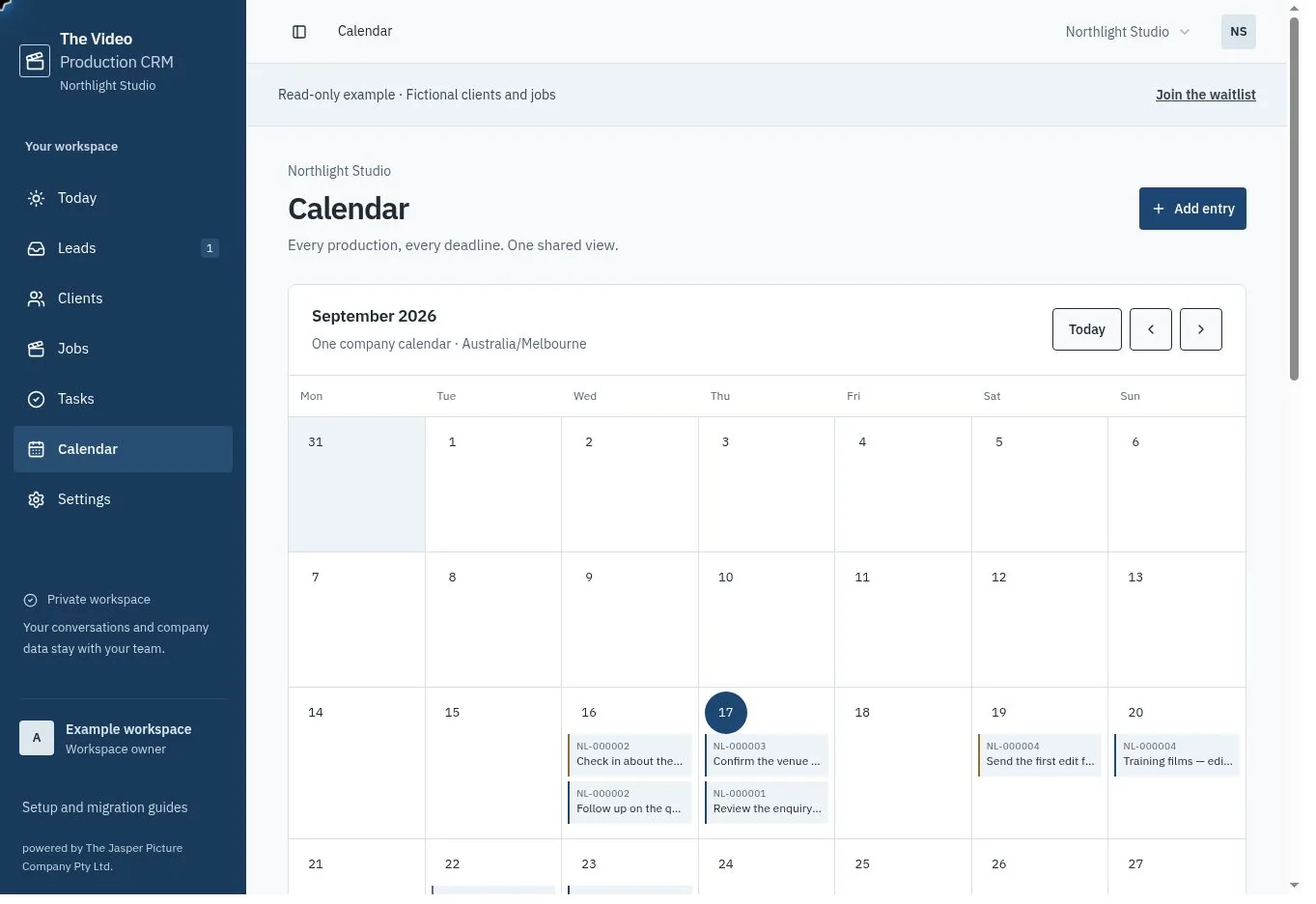
One calendar for the organisation
Everyone in the workspace sees the same company calendar and time zone. Lead next-action dates, incomplete task due dates and undelivered job dates appear automatically, including dated tasks created from quote acceptance and approved variations. On smaller screens, the agenda keeps the entries readable.
Each linked item shows its production reference. Open the entry to find the source record and change the actual date, rather than maintaining a second calendar copy.
Add the planned production days
Create all-day Shoot, Editing, Meeting or Milestone entries. Link them to a lead or job, or make them company-wide. Set the first and last day, an owner and notes; the last day is included.
A tentative plan can live with its enquiry before the job is won. Make its tentative status clear in the title or notes, because the current calendar does not manage formal resource holds.
Understand what a date does and does not reserve
This is the calendar foundation for the current release. It does not synchronise to Google Calendar, reserve individual crew or equipment, send meeting invitations or detect double bookings. Keep those commitments in your existing scheduling process.
Use the production reference when arranging bookings in your existing scheduling tools.
Common questions
Will moving a job delivery update the calendar?
Yes. Delivery entries use the current date on the job. There is no copied event to leave behind.
Can the team have separate calendar time zones?
The app uses one organisation time zone for the shared workflow. Change it in company settings so Today, defaults and activated SMS business hours remain aligned.