The Video Production CRM · Coming soon
Video production job management
The handover from winning the work to producing it should preserve what was agreed. Give the job a clear scope, owner and route to delivery.
Start from the accepted quote
Record the client’s acceptance of a sent quote to create a job from its saved scope and a task for each delivery version. The same production reference connects the lead, quote and job. Open the original enquiry when you need to review the conversation or quote history.
This keeps the commercial promise close to the production work. An estimate sitting in an unrelated document is easy to forget when the edit becomes busy.
Track the stage and the next action
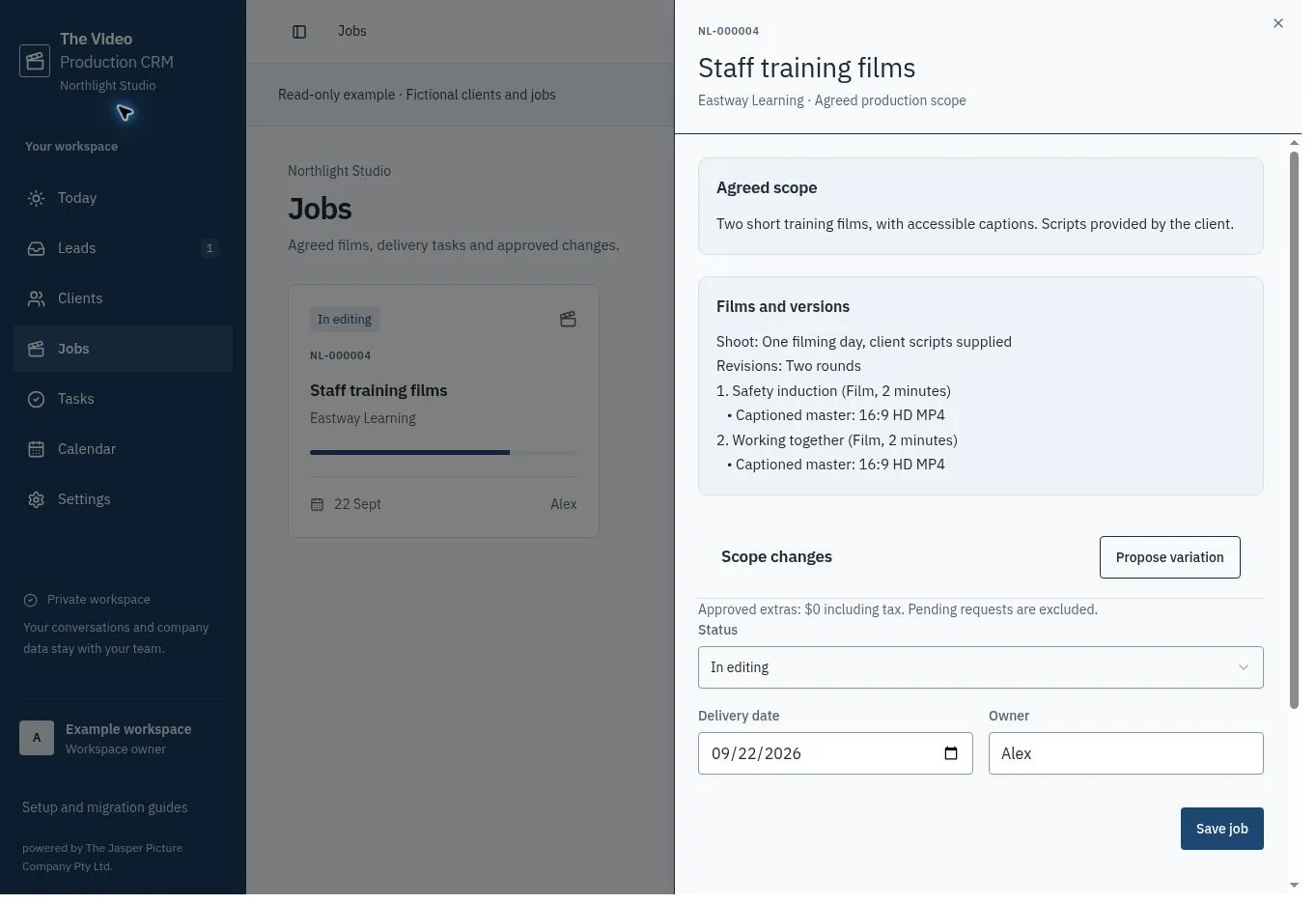
Jobs move through Confirmed, In production, In editing and Delivered. Set the delivery date and owner, review the automatic delivery tasks and add preparation or review actions as needed. Open task dates and outstanding deliveries appear on the organisation calendar.
A stage is a useful summary, but a task should say what needs to happen. “In editing” and “Send the first cut to Morgan by Thursday” serve different purposes.
Agree extra work without rewriting the original
Open the accepted scope while reviewing a new request. Propose a variation with the changed deliverables, additional price and due date. Copy it for the client, then record approval or decline with evidence.
Only approval creates extra delivery tasks. The job shows approved extras including tax, with pending and declined requests excluded. Replacements must be described explicitly; review affected original tasks yourself.
Keep the production tools you need
This release covers client workflow, agreed scope and operational dates. It does not replace shot lists, call sheets, equipment booking, crew scheduling, asset storage or frame-by-frame review.
Use the production reference in your existing folders and documents to keep them aligned. The shared calendar shows planned days and deadlines; it does not reserve crew.
Common questions
Is this full film production scheduling software?
No. It provides a company calendar and all-day production entries. Hourly bookings, resource availability and scheduling conflict checks are not included.
Does changing a draft change the job?
No. A job keeps the scope from the accepted quote version that created it.