The Video Production CRM · Coming soon
Video production quoting software
Make the promise as clear as the price. Bring deliverables, filming and editing allowances, revisions and terms into the same saved quote.
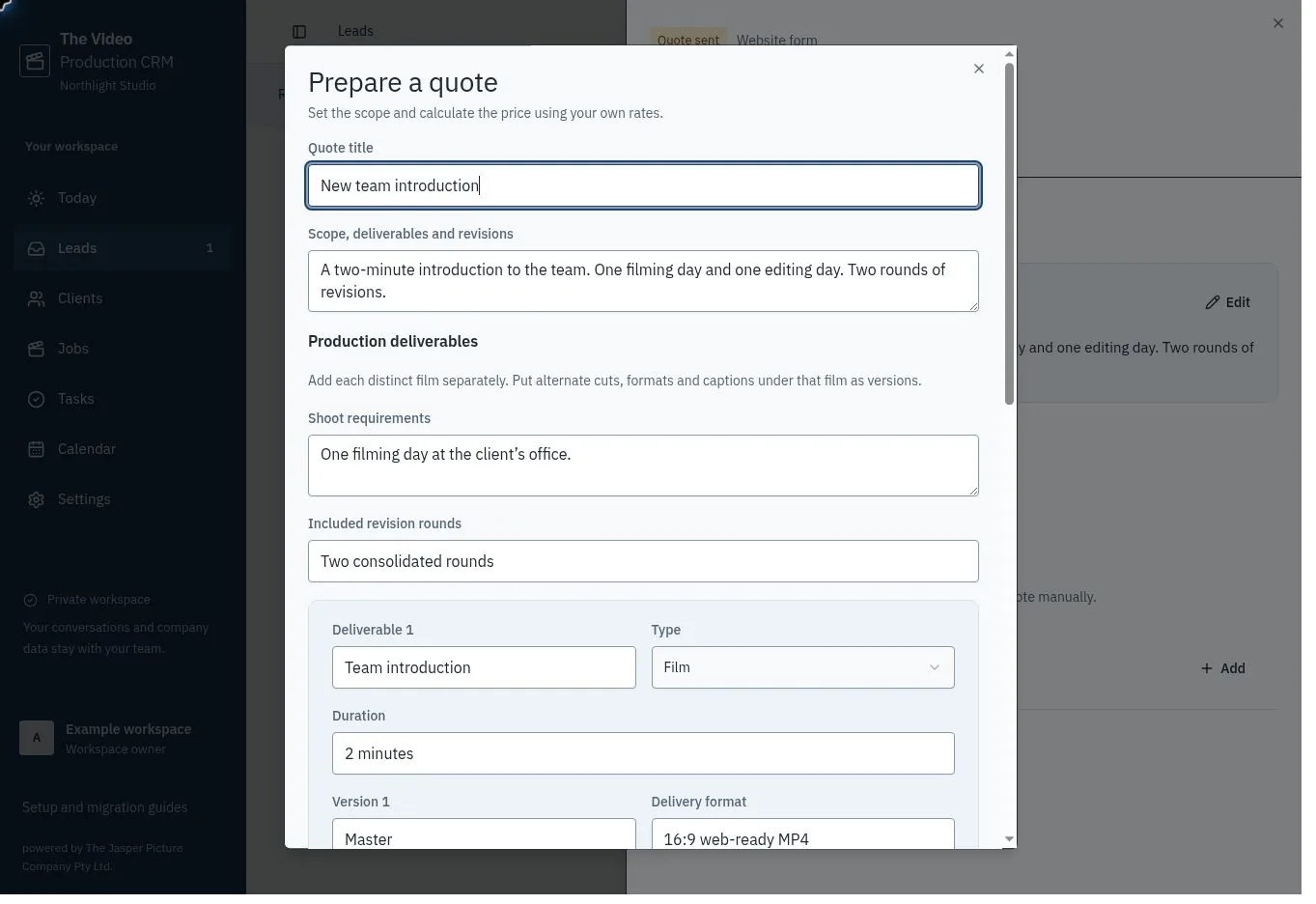
Use the pricing model that fits your company
A quote can combine day rates, hourly services and fixed-price packages. Describe the unit in each line, set the quantity and enter your own price. The app calculates line totals and the configured tax; AI does not set your prices.
Use the company rate card as a starting point, then adjust the actual proposal. Saved quote versions retain their entered rates rather than depending on future rate-card changes.
Keep scope beside the numbers
Add each Film, Live stream or Shoot only deliverable separately. Under it, list named versions and formats, such as Master / 16:9 4K MP4 and Social cut / 9:16 captioned MP4. Set the duration where required, shoot requirements and revision allowance. Use the written scope for client responsibilities, editing allowances and exclusions.
Save an incomplete draft while you clarify the brief. Required-field checks must pass before sending or recording a structured quote as sent. A ready status still needs your review against the client conversation. With Gmail active, review the recipient and complete quote before approving the send. Otherwise, copy the quote and record where and when you sent it yourself.
Keep a record of the agreement
New quotes use the production reference plus a quote suffix. Revisions keep that quote number and advance the version. Record acceptance against the actual sent version, with evidence of the agreement, a delivery date and an owner.
The resulting job keeps the accepted scope and creates one task per delivery version with the initial job due date. The team records acceptance manually; it does not provide an electronic-signature certificate, client checkout or invoice collection.
Common questions
Can I combine a package and hourly work?
Yes. Use quantity 1 for a fixed package and separate quantity-times-rate lines for additional services.
Can I change an accepted quote?
An accepted quote cannot be revised. Open the job and propose a priced variation. Record the client’s approval or decline with evidence; approved variations create extra tasks while the original agreement stays intact.